How to Use Google Flights to Find Cheap Flights From Singapore
Updated: 5 Nov 2026

Written bySingSaver Team
Team

Disclaimer: The information on this page is for general educational and informational purposes only and should not be considered financial or investment advice.
Google Flights helps you find cheap flights from Singapore by comparing fares across airlines, showing the cheapest travel dates, and alerting you when prices drop.
It’s time to catch flights, not feelings! Whether it’s a last-minute trip to Bangkok or your long-awaited Europe escape, Google Flights is fast, free and frighteningly smart. It can also save you serious cash if you know how to use it right. Here’s how to get the most out of it.
Decision Guide
Before You Compare
01 Know how flexible your dates are
Flexible dates let you use the calendar, where the biggest savings usually show.
02 Decide what you’ll trade off
Stops, flight times and duration filters work best when you know your priorities.
03 Check baggage on budget fares
Add checked bags in the Bags filter so the fare you see is the fare you pay.
04 Pick the card you’ll pay with
A miles or cashback card can earn rewards on your fare, so check its earn rate.
05 Expect to book elsewhere
Google Flights links you to the airline or agent’s site to complete your booking.
How to search, filter and find flights like a pro
Let’s start with the basics. Head to Google Flights, and you’ll see a simple interface: enter your origin (Singapore) and destination, and boom — you’re served a buffet of flight options.
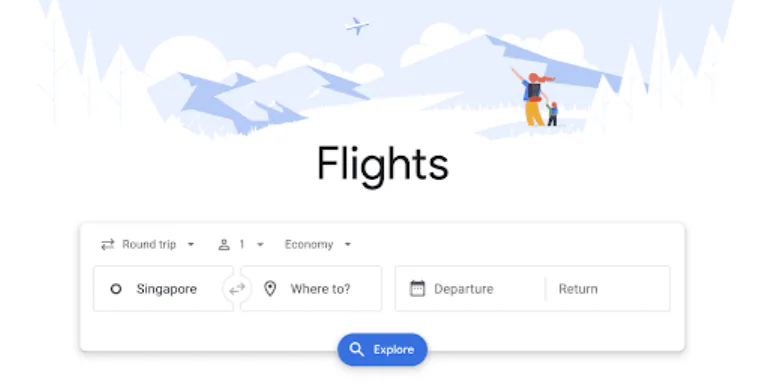
Want one-way? Done. Round-trip or multi-city? Also done. Economy or business? You bet.
Once your options pop up, Google highlights flights based on what it thinks is best — the cheapest, the fastest, or a balanced combo.
But don’t stop there. Here's where the real magic happens.
Stick to your budget with price filters
Tight on budget? (Same — thanks, inflation.) Use the price slider to cap your spending. Say you’re not willing to spend more than $150 to Bali. Set your limit, and Google will hide the rest.

Look for fares in green — that’s Google’s hint you’re looking at a deal.
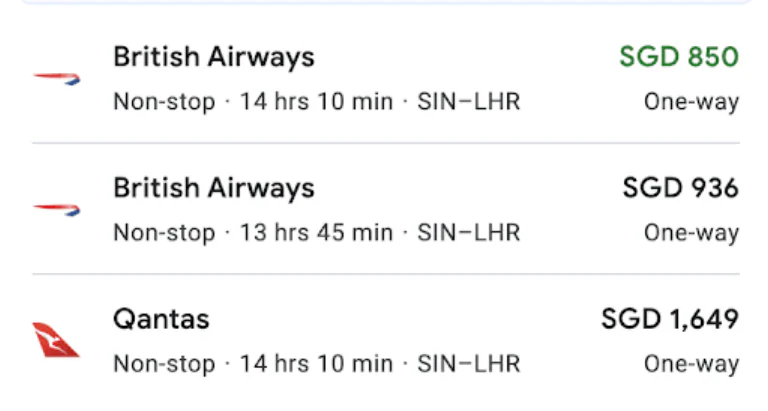
» Learn more : The best days to book your flights
Say goodbye to layovers
Short getaways = maximum chill, minimum transit stress.
If you can’t stand layovers (especially unnecessary ones like Singapore → KL → Bangkok), select “Nonstop only.”
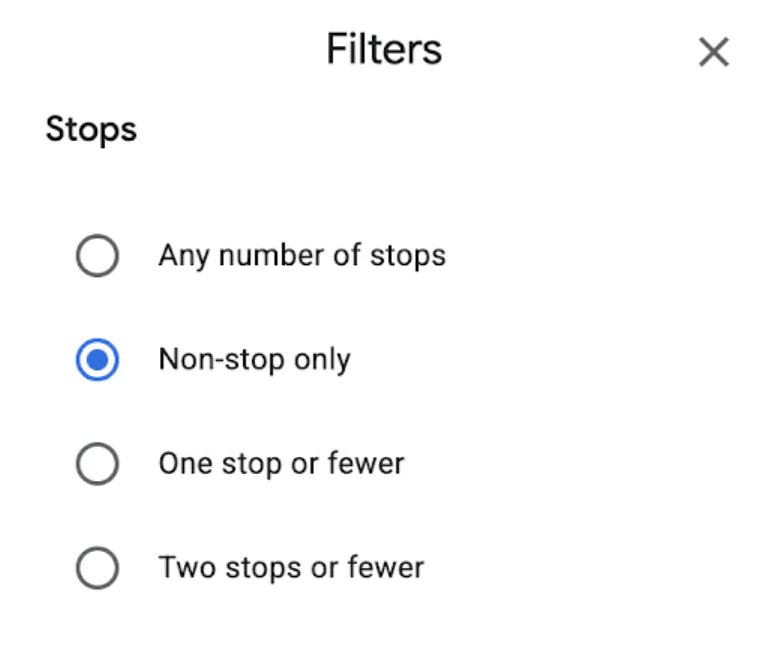
Perfect for parents with kids or those just keen to land and take it easy.
Customise your departure and arrival times
Don’t want to wake at 4am for a 7am flight? Set flight times under “Times.”
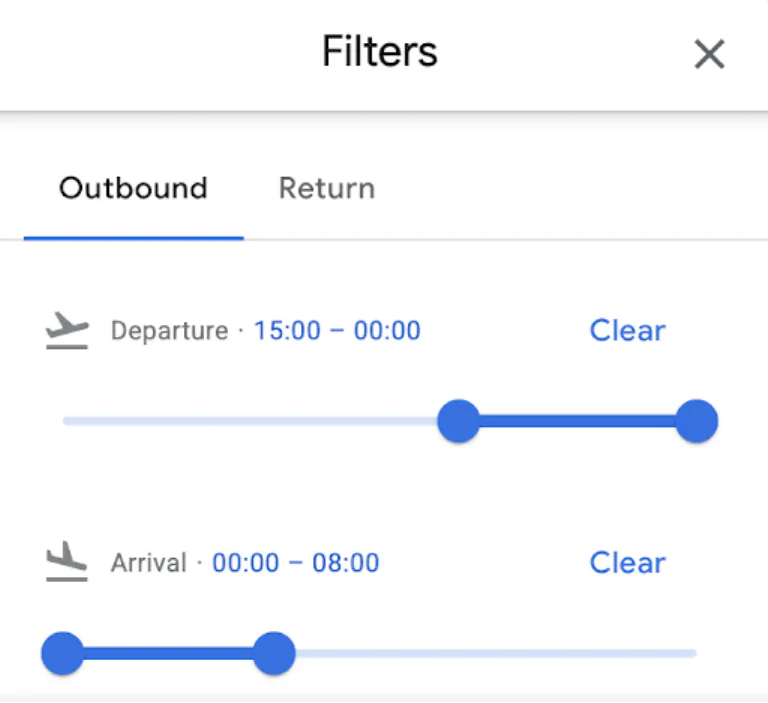
This is ideal if you’re heading to work first, or arriving just in time for your cousin’s wedding dinner.
Stick with your preferred airline for miles and perks
Loyal to Singapore Airlines for KrisFlyer miles? Prefer Scoot for budget hauls? Filter by airline or alliance.
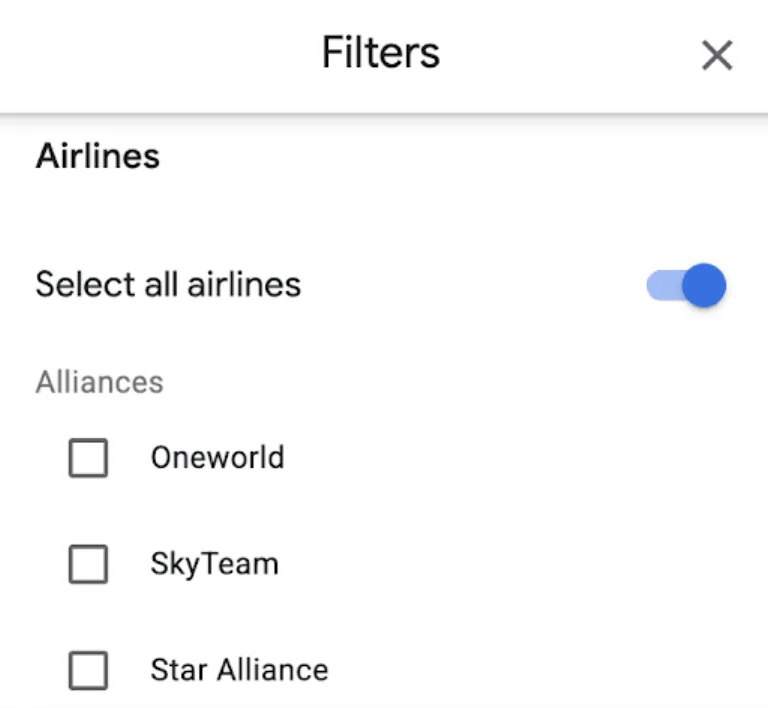
Pro Tip: Booking with your preferred airline helps if you’re earning or redeeming rewards with cards like the Citi PremierMiles, UOB PRVI Miles, or AMEX KrisFlyer.
» Learn more : What time should you reach the airport?
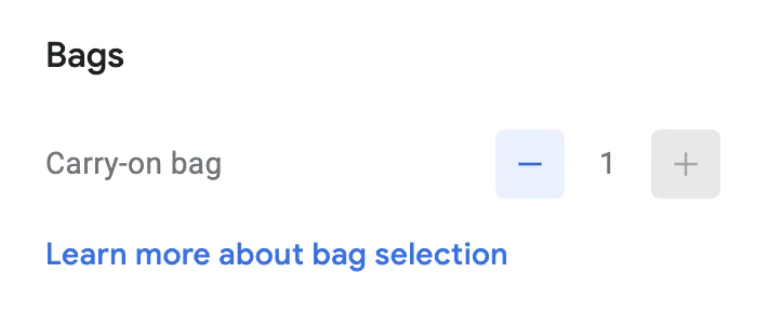
Know your baggage costs before you book
Flying budget? You know the drill — your $100 fare could balloon after adding luggage.
Use the “Bags” filter to include checked baggage in results.
Pick your layover city or skip it entirely
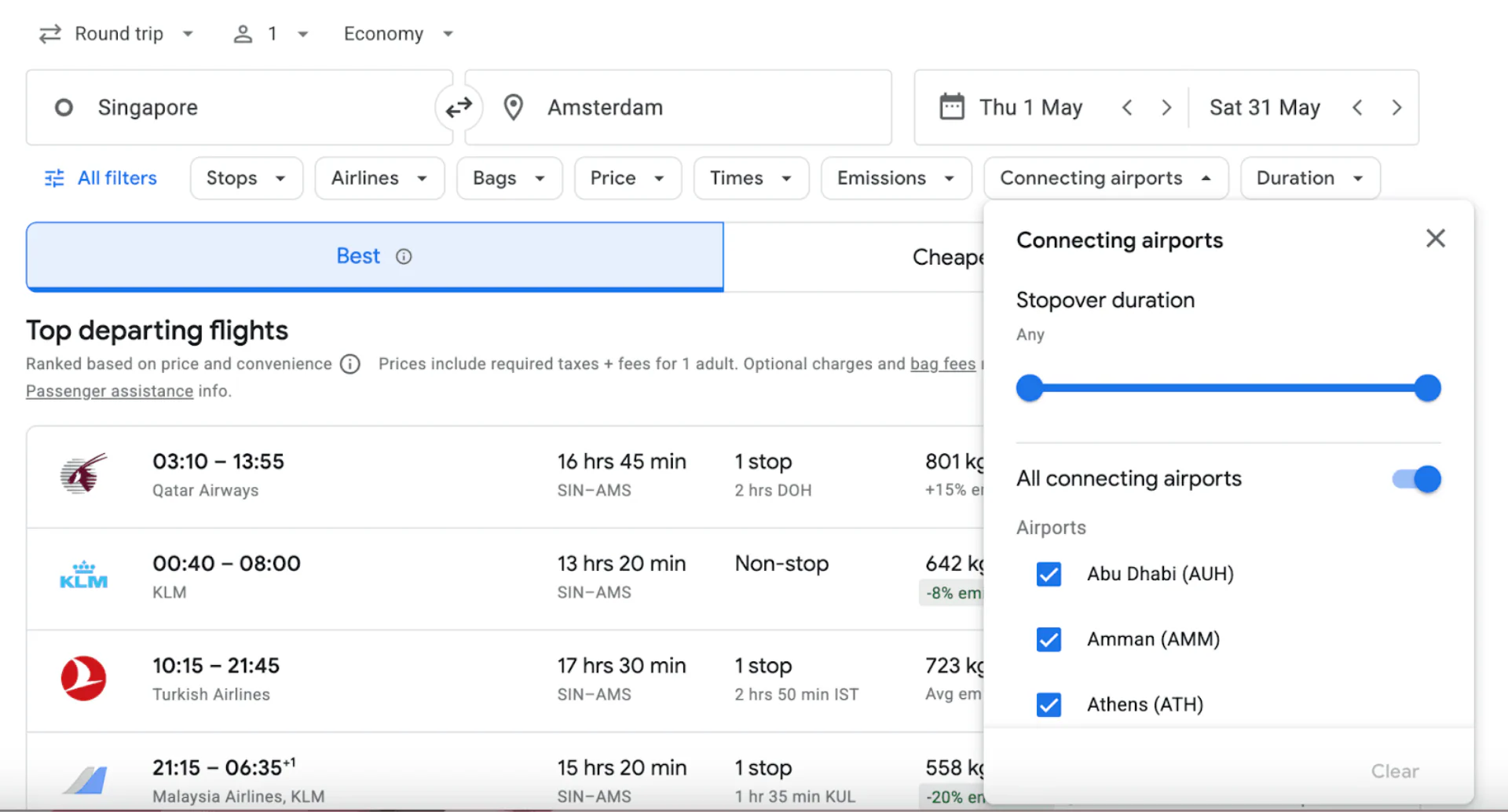
Want to squeeze in a bowl of tonkatsu ramen in Tokyo or skip layovers altogether? Set preferences for layover cities and durations.
Choose shorter routes that save you time and energy
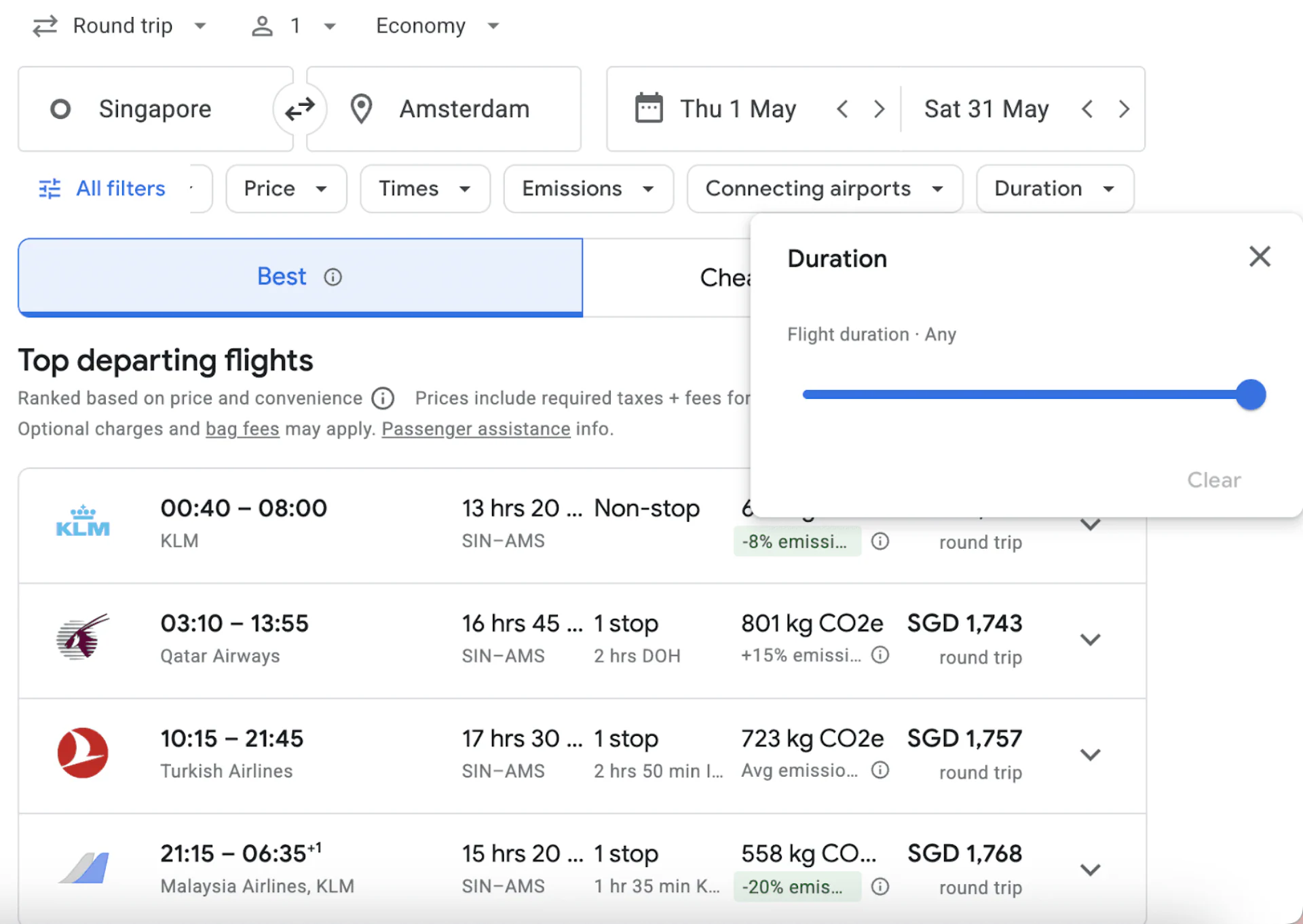
Some options stretch 40 hours and 3 layovers — not ideal unless you moonlight as a nomad. Limit your journey with the “Duration” filter.
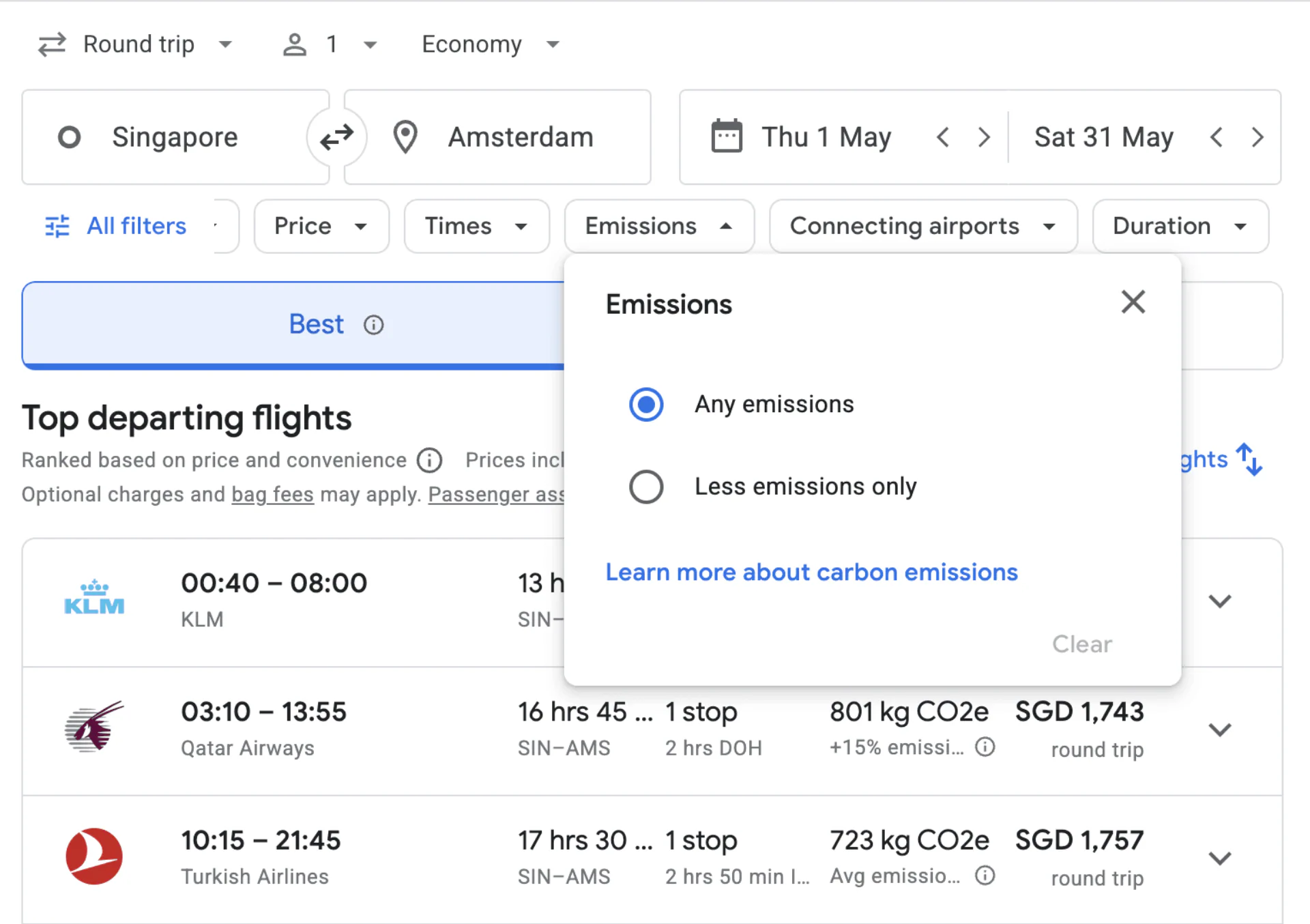
Choose low-emission flights
Google shows estimated CO2 emissions for each result, and flags flights with lower emissions. This is helpful for eco-conscious travellers, or companies with sustainability policies.
More Google Flights tips to fly for less
Filters aside, these pro tips can shave even more off your fare.
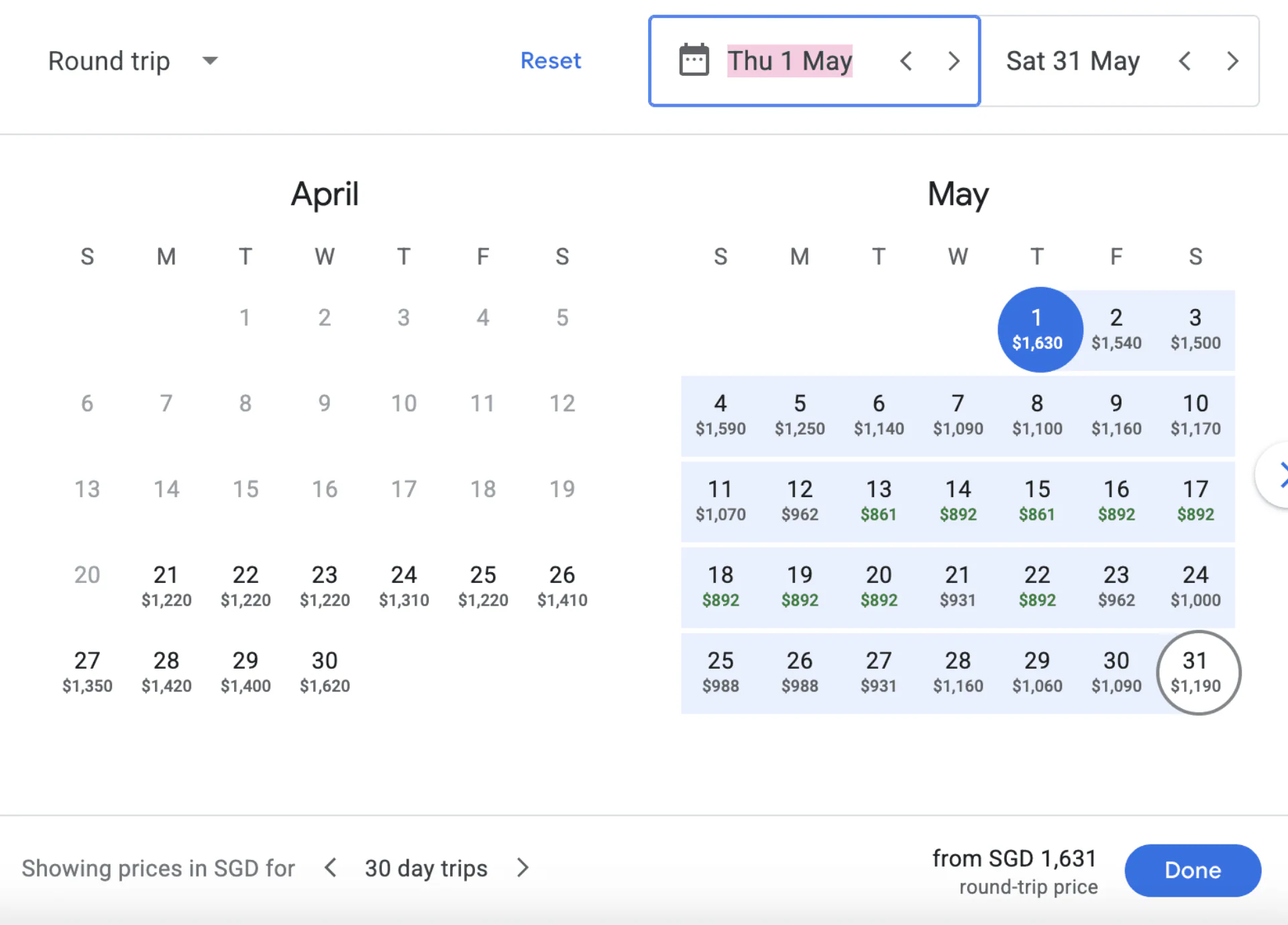
Find the cheapest days to fly
Hover over the calendar to see cheapest days to fly, with green text showing you the deals.
Don’t limit your search to one airport
Flying to London? Include airports Heathrow, Gatwick, and Stansted into your search.
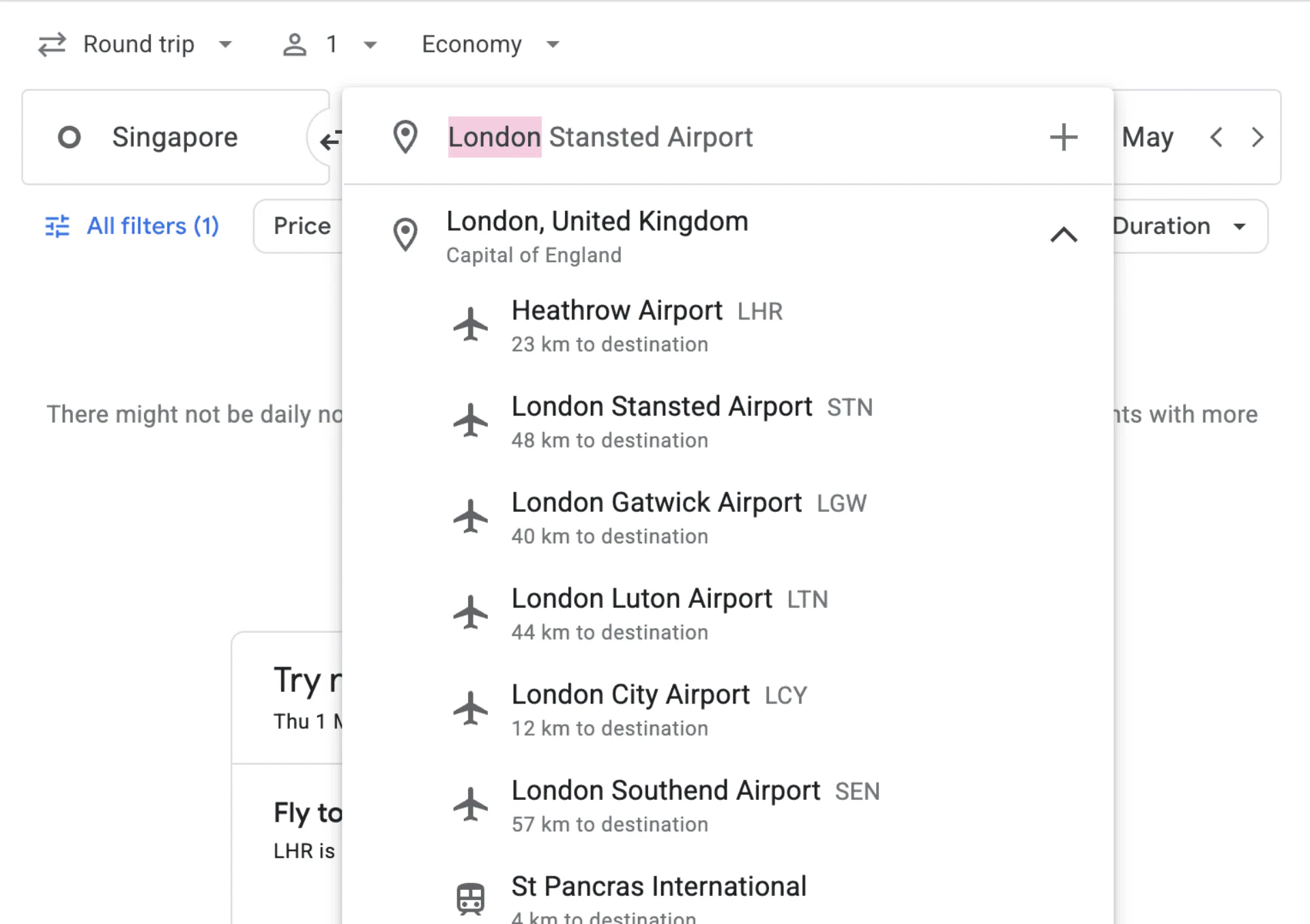
Search routes into different city airports. This is useful for cities like Tokyo, New York, or even Bali vs Jakarta if you’re flexible.
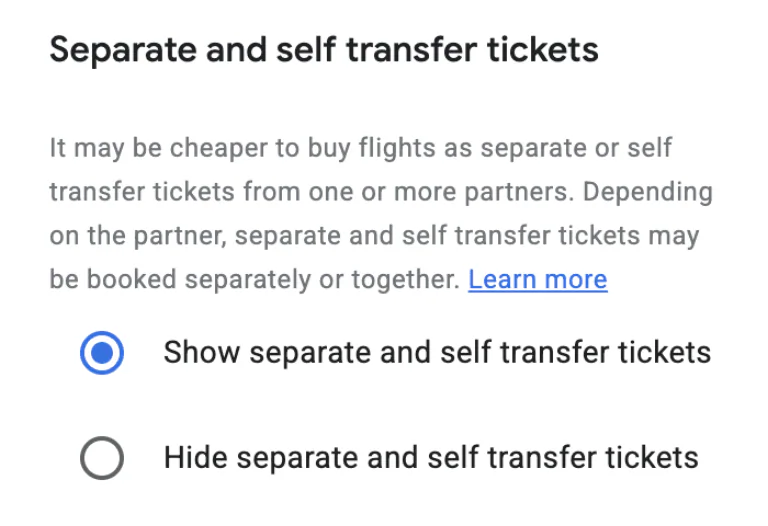
Split tickets = more savings
Sometimes, two one-way flights are cheaper than one round-trip. Look out for results labelled “Separate tickets,” where Google pieces together a cheaper combination from different airlines. Just note that if one leg is delayed or cancelled, the other airline usually isn’t obliged to rebook you, so leave a comfortable buffer between flights.
Get notified when flight prices drop
Click “Track prices”, and let Google email you when the fare drops.
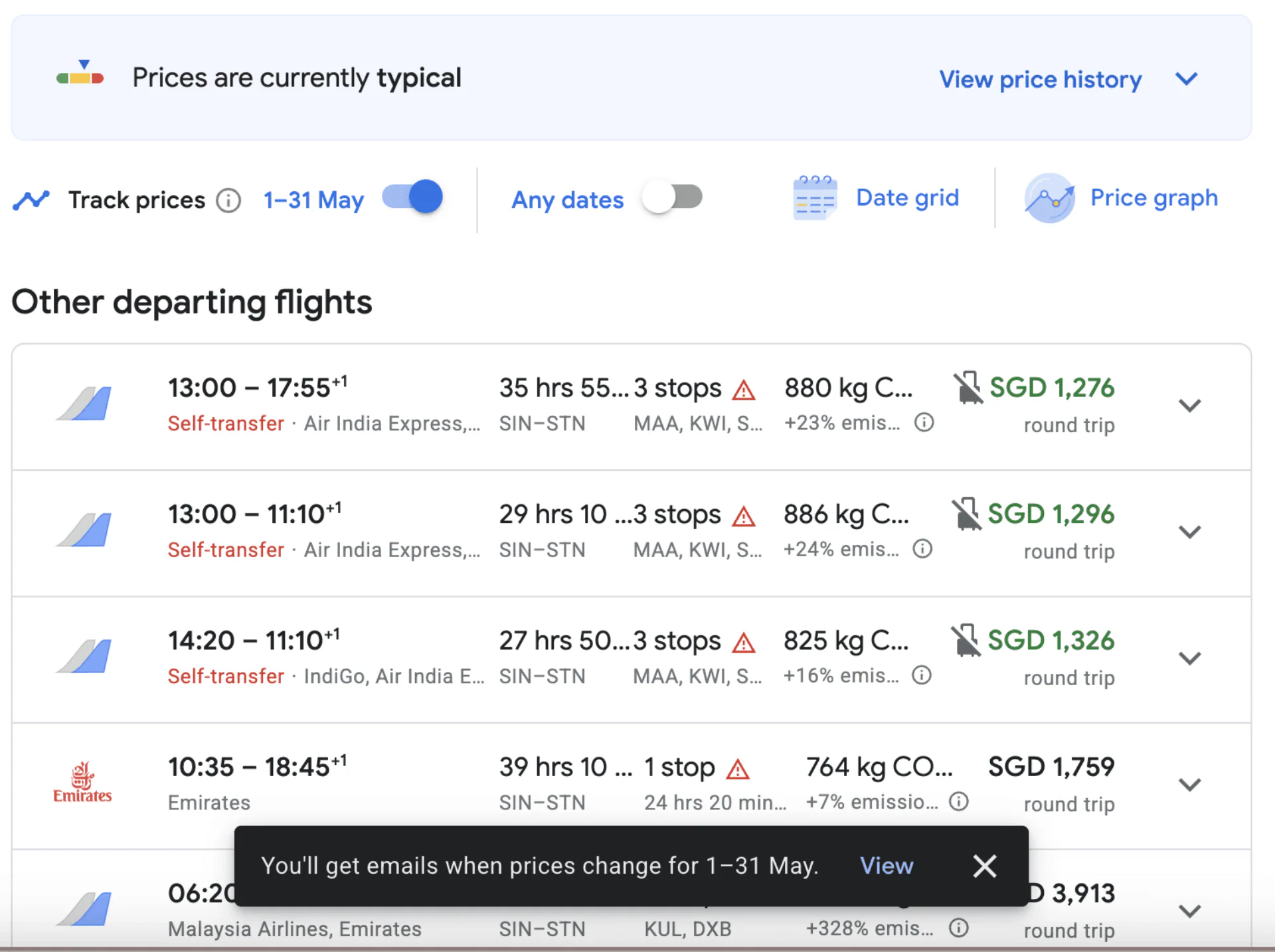
Ideal for peak periods like December, Chinese New Year, or National Day weekend.
» Learn more : 8 Genius travel hacks you need to know
Find Cheap Destinations With Flight Deals
Not sure where to go yet? Flight Deals is Google’s AI-powered search tool inside Google Flights, built for flexible travellers whose main goal is saving money. Instead of entering a fixed route and dates, you describe the trip you want in plain language — for example, “a week-long beach trip in December under $400.” Google then surfaces the best-value options that match, including destinations you might not have considered.
Flight Deals is now available in over 200 countries and territories, including Singapore. It works alongside the classic Google Flights search, so you can still switch back to filters once you’ve picked a destination.
Use Google Flights to plan points redemptions
If you’ve been hoarding KrisFlyer or Asia Miles, you’re not alone. Use Google Flights to search routes, then book redemptions via airline sites.
Best credit cards to supercharge your flight savings
| Credit Card | Best For | Annual Fee | Earn Rates |
|---|---|---|---|
| Citi PremierMiles Card | All-round travel spending | S$196.20 (first year waived) | 1.2 mpd local, 2.2 mpd overseas |
| DBS Altitude Visa Card | Flexible rewards with travel perks | S$196.20 (first year waived) | 1.3 mpd local, 2.2 mpd overseas |
| UOB PRVI Miles Card | High miles earn on overseas spend | S$261.60 (first year waived) | 1.4 mpd local, 2.4 mpd overseas |
| AMEX Singapore Airlines KrisFlyer Credit Card | KrisFlyer miles and SIA loyalty | S$179.85 (first year waived) | 1.1 mpd local and overseas, 2 mpd on Singapore Airlines, Scoot, KrisShop and Pelago |
| HSBC Revolution Credit Card | No annual fee, online and contactless spend | No annual fee | 4 mpd on online and contactless spend (capped at S$1,000/month), up to 8 mpd with an HSBC Everyday Global Account |
*mpd = miles per dollar. Earn rates and caps change, so always check the card’s latest terms before applying.
Why Google Flights belongs in every traveller’s toolkit
Google Flights is like that one friend who’s got the group chat covered: efficient, fast and reliable.
Use it to track deals, map multi-city adventures or even just dream a little. Pair it with a solid credit card, stay flexible, and you could be jetting off for less than your monthly kopi budget. Once your flights are booked, don’t forget to compare travel insurance so you’re covered if plans change.
Bon voyage, bargain hunter!
Searching for money answers?
One tap and you’ll see SingSaver more often in Google search and AI results.
About the author

SingSaver Team
At SingSaver, we make personal finance accessible with easy to understand personal finance reads, tools and money hacks that simplify all of life’s financial decisions for you.
The information on this page is for educational and informational purposes only and should not be considered financial or investment advice. While we review and compare financial products to help you find the best options, we do not provide personalised recommendations or investment advisory services. Always do your own research or consult a licensed financial professional before making any financial decisions.